
Setting up payroll properly isn’t just an admin task, it’s one of the fastest ways to protect your business, pay your team correctly, and avoid messy fixes later. MYOB can handle payroll well, but only if the foundations are set up carefully: correct business details, the right payroll categories, clean employee records, and compliant reporting.
This step-by-step guide walks Australian employers through a practical, “do it once, do it right” MYOB payroll setup, so each pay run is repeatable, reviewable, and ready for reporting.
A smooth setup begins with having the right information on hand. Collect these details before you touch payroll settings:
Getting this right early reduces the two big payroll risks: incorrect pay calculations and incorrect reporting.
Different MYOB products have different payroll workflows, but the setup principles stay the same:
i) Confirm payroll is enabled for your file/subscription.
ii) Ensure user access is appropriate (limit who can change payroll categories).
iii) Check your company details are correct in settings, especially ABN and address.
iv) Decide your pay cycle (weekly/fortnightly/monthly) and keep it consistent.
Tip: Treat payroll settings like a “controlled area.” A single unplanned change to a pay item can ripple through reporting.
Payroll works best when it’s built around clear categories. Set these up early so employees can be assigned cleanly.
Create earnings for how people are paid, such as:
Keep names consistent and obvious. Future-you will thank you.
Only create allowance types you genuinely use (meal allowance, travel, tool allowance, etc.). If something is a reimbursement (repaying an expense), keep it separate from taxable allowances so your reporting stays clean.
Examples:
If you don’t need it, don’t build it. Fewer categories = fewer errors.
Super setup must align with current ATO requirements and your employee agreements.
Good practice: build a quick internal checklist so every new starter’s super details are collected and entered the same way every time.
Each employee record should be accurate before the first pay run:
If you use timesheets, enable timesheets for the employee now, before processing pay.
Two compliance basics are easy to miss when you’re focused on settings:
MYOB can produce payslips, but you must ensure the underlying categories are correct so the payslip content is correct.
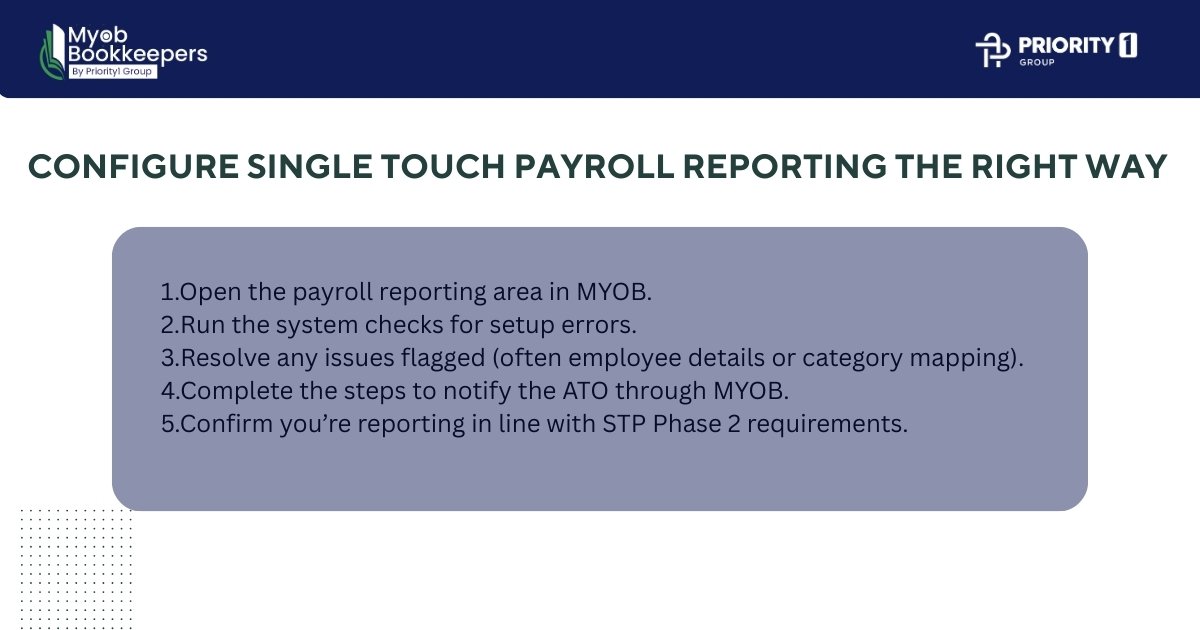
For most Australian employers, Single Touch Payroll is not optional, your payroll system must be set up to report correctly.
At a high level, your setup process should include:
MYOB provides guided steps to set up and move to Phase 2 (depending on your MYOB product). (MYOB)
Practical tip: Don’t “push through” errors. Treat every setup error as a real issue to fix now, not later.
Before you pay anyone for real, run a test pay cycle:
If anything looks off, adjust categories or employee settings and test again. A 30-minute test can prevent months of fixes.
Even a small business benefits from a repeatable routine:
i)Timesheets submitted (cut-off time set)
ii)Manager approves hours/leave
iii)Payroll processed in MYOB
iv)Second-person review (even if it’s just checking totals)
v)Wages paid
vi)Payslips issued
vii)STP lodged for that pay event
If you want a lightweight way to reduce mistakes, this is it.
If you’re setting payroll up while also running the business, it’s easy to miss a small setting that causes ongoing issues. Many employers choose to bring in a MYOB bookkeeper to review their initial payroll build, especially around category structure, super setup, and STP mapping, because those are the areas where small errors tend to repeat every pay run.
And if you’re looking for a team that works inside MYOB daily, MYOB bookkeeping services can also help by keeping payroll reconciled with your BAS/GST coding and monthly reporting rhythms, so payroll doesn’t sit in its own silo.
For context, Myob bookkeepers is part of Priority1 Group, and we often see the same pattern: businesses don’t need “more complexity,” they just need payroll to be consistent, compliant, and easy to review.
Once you process your first real pay run, set recurring checks:
The goal is to keep payroll clean continuously, not “fix it later.”
A successful MYOB payroll setup is less about clicking the right buttons and more about building a payroll structure that matches how your business actually pays people, then backing it with consistent processes and regular checks. When categories, employees, super, and STP reporting are set up carefully, your pay runs become predictable, your reporting becomes trustworthy, and compliance becomes far less stressful.
If you’d like a calm, professional second set of eyes on your payroll setup, especially if you’re hiring, changing pay structures, or cleaning up an inherited file, Myob Bookkeepers (part of Priority1 Group) can help you keep the system simple, accurate, and ready for smooth pay runs month after month.